> ## Documentation Index
> Fetch the complete documentation index at: https://docs.getjumper.io/llms.txt
> Use this file to discover all available pages before exploring further.
# Report an issue
> Learn how to get help when Jumper isn't working as expected
## Overview
This guide outlines the essential information needed to report issues effectively, ensuring quick and accurate solutions for any challenges you encounter with Jumper.
Some of the most commonly asked questions
Have an idea of how we could make Jumper better?
Ask your question to the community and get in contact with other users.
You can always reach us at [hello@getjumper.io](mailto:hello@getjumper.io)
## Accessing log files
To help us find the issue quicker, it may be needed for you to send us the log files along with a description of your issue.
You can access the log files via the `Help` menu item in the main `Jumper.app`.
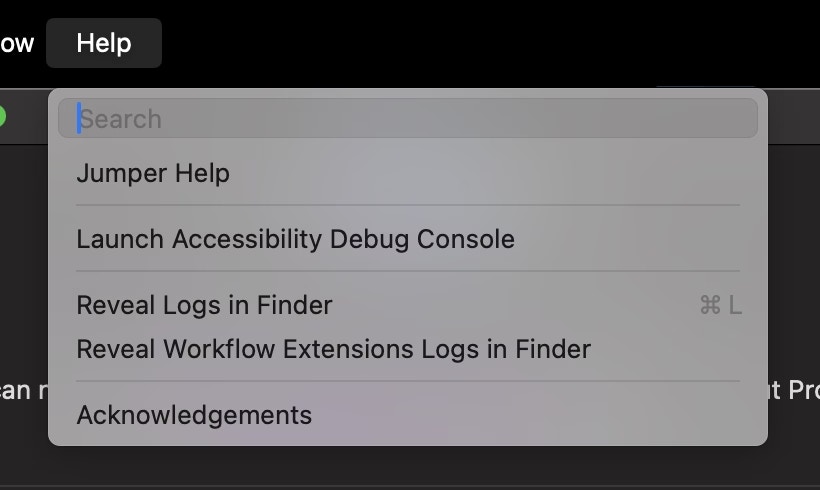 Or right-clicking the Jumper icon in the menu bar.
Or navigating there from your terminal:
```
cd ~/Library/Logs/Jumper
```
Add all the logs to a ZIP archive and email them to [hello@getjumper.io](mailto:hello@getjumper.io).
Right-click the Jumper tray icon and choose **Reveal Logs**.
Or right-clicking the Jumper icon in the menu bar.
Or navigating there from your terminal:
```
cd ~/Library/Logs/Jumper
```
Add all the logs to a ZIP archive and email them to [hello@getjumper.io](mailto:hello@getjumper.io).
Right-click the Jumper tray icon and choose **Reveal Logs**.
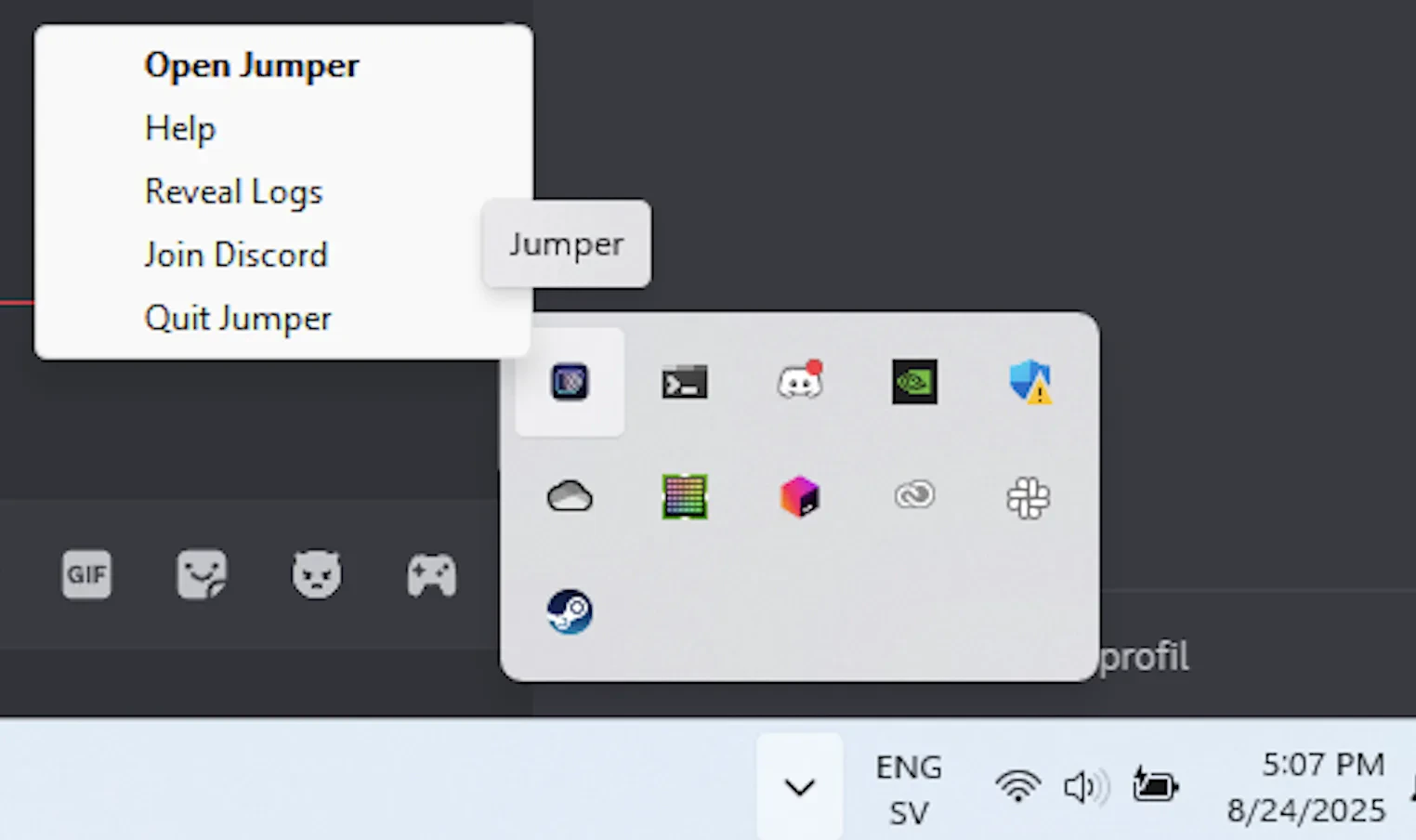 Or navigating there from your terminal:
```
C:\Users\YOUR-USER_NAME\.logs
```
Add all the logs to a ZIP archive and email them to [hello@getjumper.io](mailto:hello@getjumper.io).
Or navigating there from your terminal:
```
C:\Users\YOUR-USER_NAME\.logs
```
Add all the logs to a ZIP archive and email them to [hello@getjumper.io](mailto:hello@getjumper.io).