

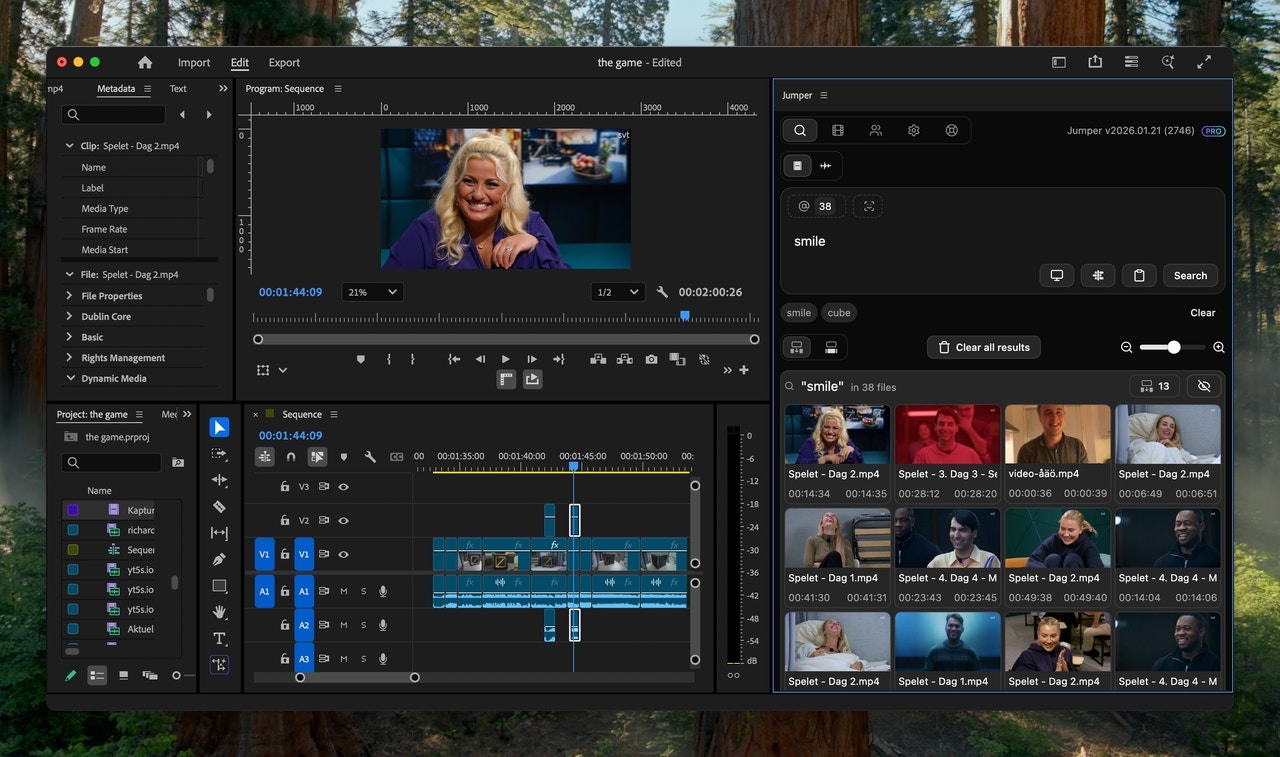
Integrated with Editing Software
Works inside Adobe Premiere Pro, Final Cut Pro, DaVinci Resolve, and Avid Media Composer
Local and Offline
Everything runs locally and offline on your device. No cloud uploads, no internet connection required.
Latest models
Jumper uses the latest models and we update them regularly.
Key Features
Visual search
Search in footage using natural language keywords to retrieve relevant clips, no manual tagging required.
AI video analysis and tagging
Understand and automatically index visual content, speech, people, summaries, and technical metadata.
Instant Speech Search
Pinpoint specific spoken words or phrases across 111 supported languages, making it easy to locate dialogue in footage.
Face Detection & People Search
Instantly find every moment a person appears across your entire library.
Cross-project library search
Search every analyzed file, including media outside the current project and on disconnected storage drives.
Integrations
Use Jumper inside Premiere Pro, Final Cut Pro, DaVinci Resolve, or Avid Media Composer.
Unlimited & Offline
Jumper operates entirely offline, ensuring privacy and speed. No limit on analysis or usage.
Model updates
Access the latest ML models shortly after release.
Explore more
Quickstart
Get started with Jumper in minutes
The Interface
Master Jumper by exploring its interface and core features
Jumper Standalone
Analyze, search, and export footage without opening editing software
Face analysis
Learn how Jumper detects, groups, and searches for faces
People tab
Name detected people and manage face collections
Summary Analysis
Give editors and agents a navigable overview of the footage
Agentic video editing
Use Claude, Codex, or ChatGPT to orchestrate searches and deliverables
Public API
Build local media-search tools and automations with the Jumper Public API