Before you begin:
- You have prepared the editor setup, or you have an exported settings ZIP.
- The licenses have policies assigned. A configuration alone does not grant access.
- The Admin Panel is open.
1
Choose the source
Select This machine to capture the Jumper setup you prepared, or choose ZIP file and select a previously exported settings bundle. Click Continue.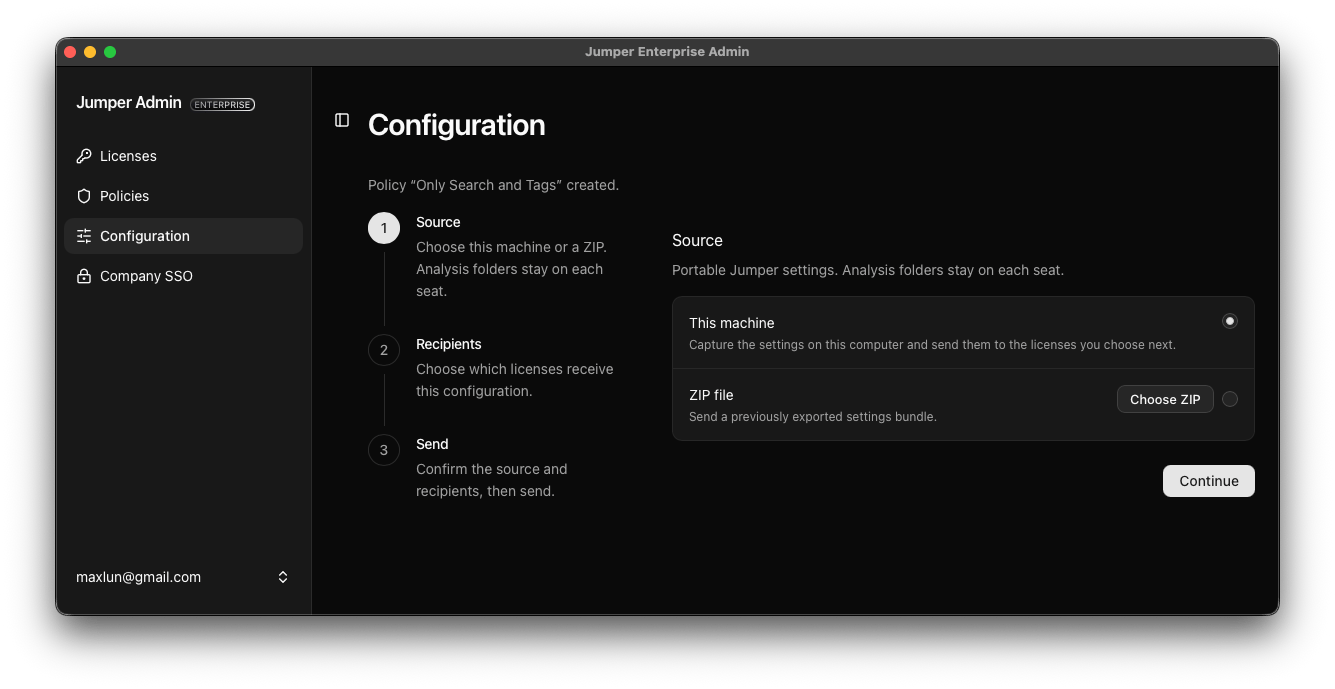
2
Choose the recipients
Select policies to send the configuration to their current members. Under Individual licenses, you can add recipients beyond those policies. Check the total number of licenses, then click Continue.In this example, both licenses in the Only Search and Tags policy receive the same setup.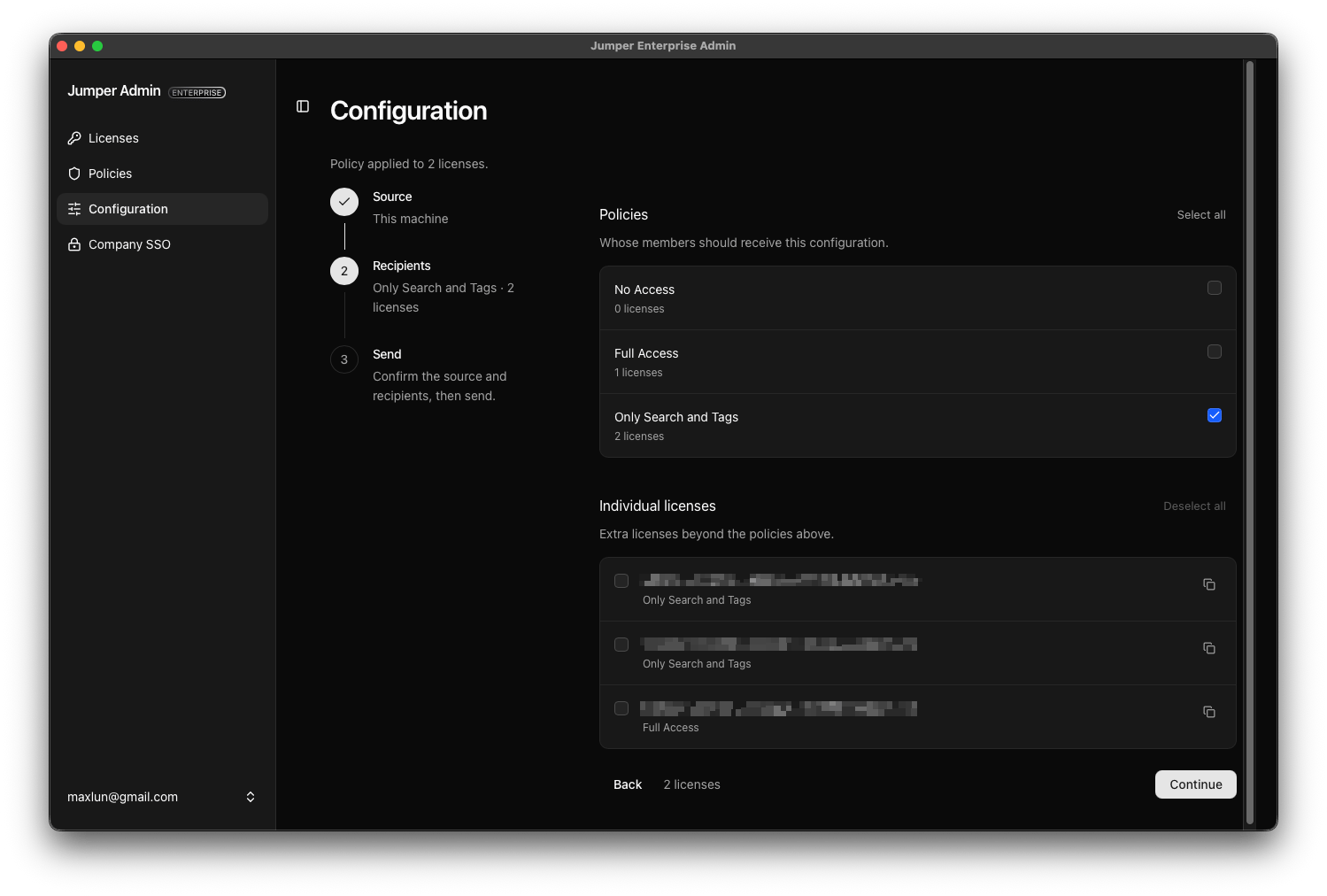
3
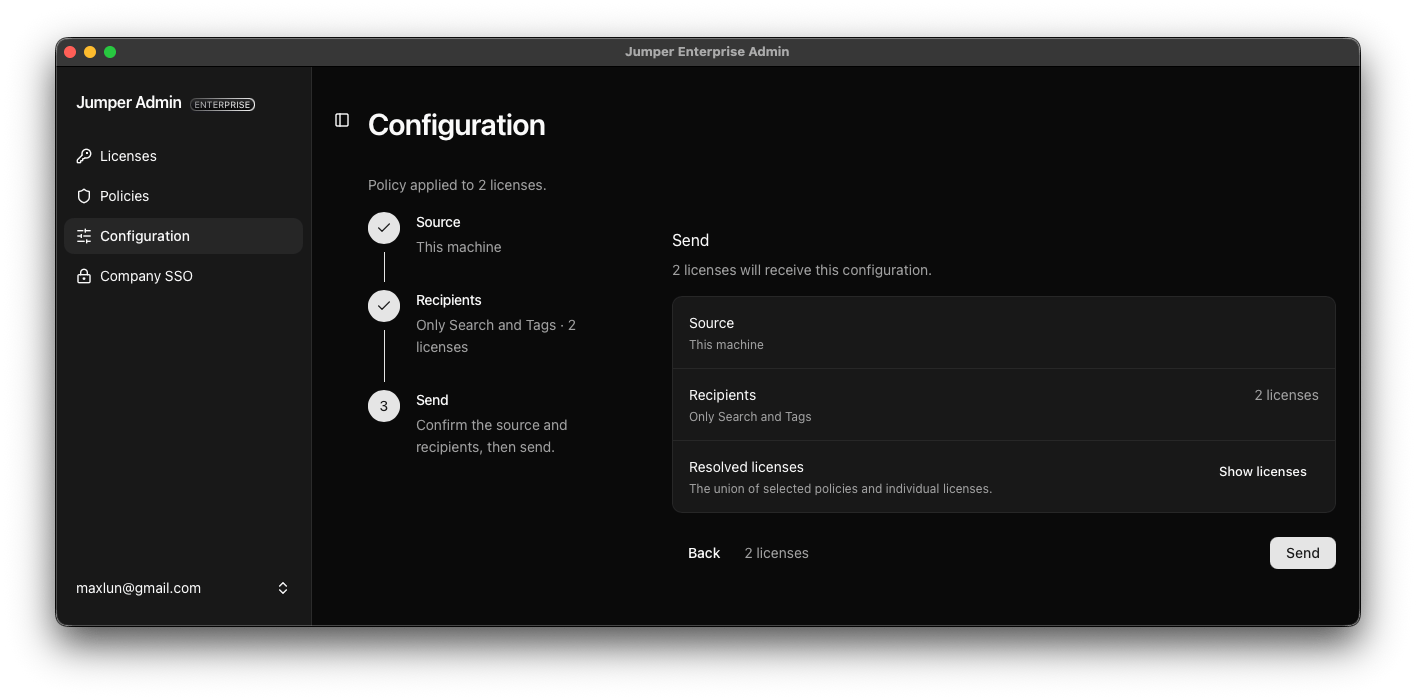
Review and send
Confirm the source and recipients. Use Show licenses to inspect the complete recipient list, then click Send. A license selected through both a policy and the individual list is included only once.