

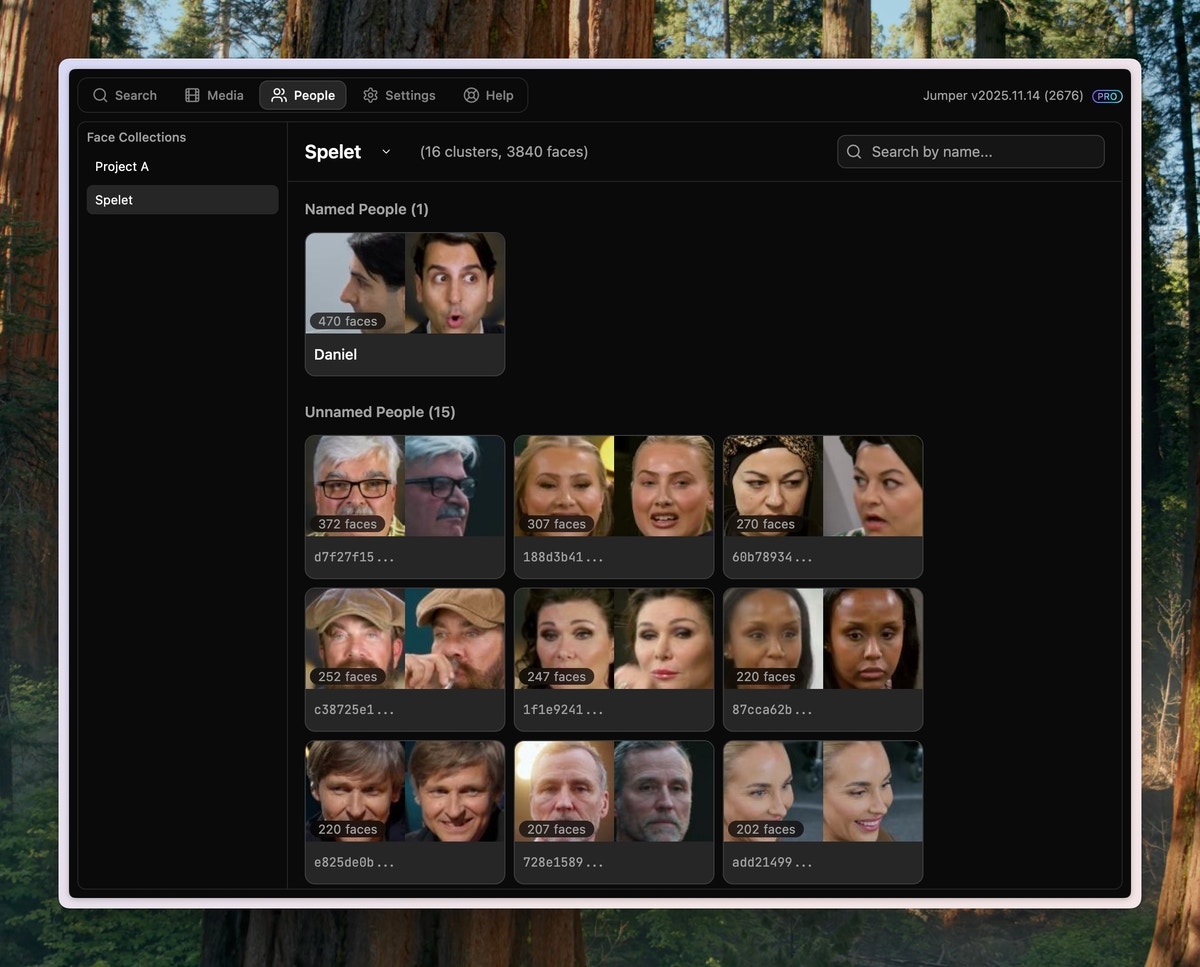
Collections
This is a list of all your Face Collections. Click a collection to see the people detected in that collection. You can use different collections for different projects or different parts of the same project. Click the ellipsis button () next to a collection name to access:- Reveal in Finder: Opens the directory where all faces for that collection are stored
- Regroup collection: Regroups faces with different parameters. See Regrouping faces for detailed instructions.
People Grid
This is a grid of all the named and unnamed people detected in the selected collection. Each person is represented by two sample images and a name. The grid is sorted by the number of faces detected for that person. The most prevalent people are shown at the top. The number of faces detected for each person equals roughly the number of seconds of footage that the person appears in.Currently, only the most prevalent 50 people are shown in the grid. This will be improved in the future.
- Click an item in the grid to preview all extracted faces for that person
- Click the name to assign or change the person’s name
- Click the merge button () to merge groups. See Merging groups for detailed instructions.
Related
How to use face detection
Full guide to using face detection